Lineup Scenarios: two lineups side by side, backed by your own data
Most lineups are built on habit. Lineup Scenarios puts two versions next to each other on a pitch, with per-90 numbers, pair chemistry and form trends from your own squad.
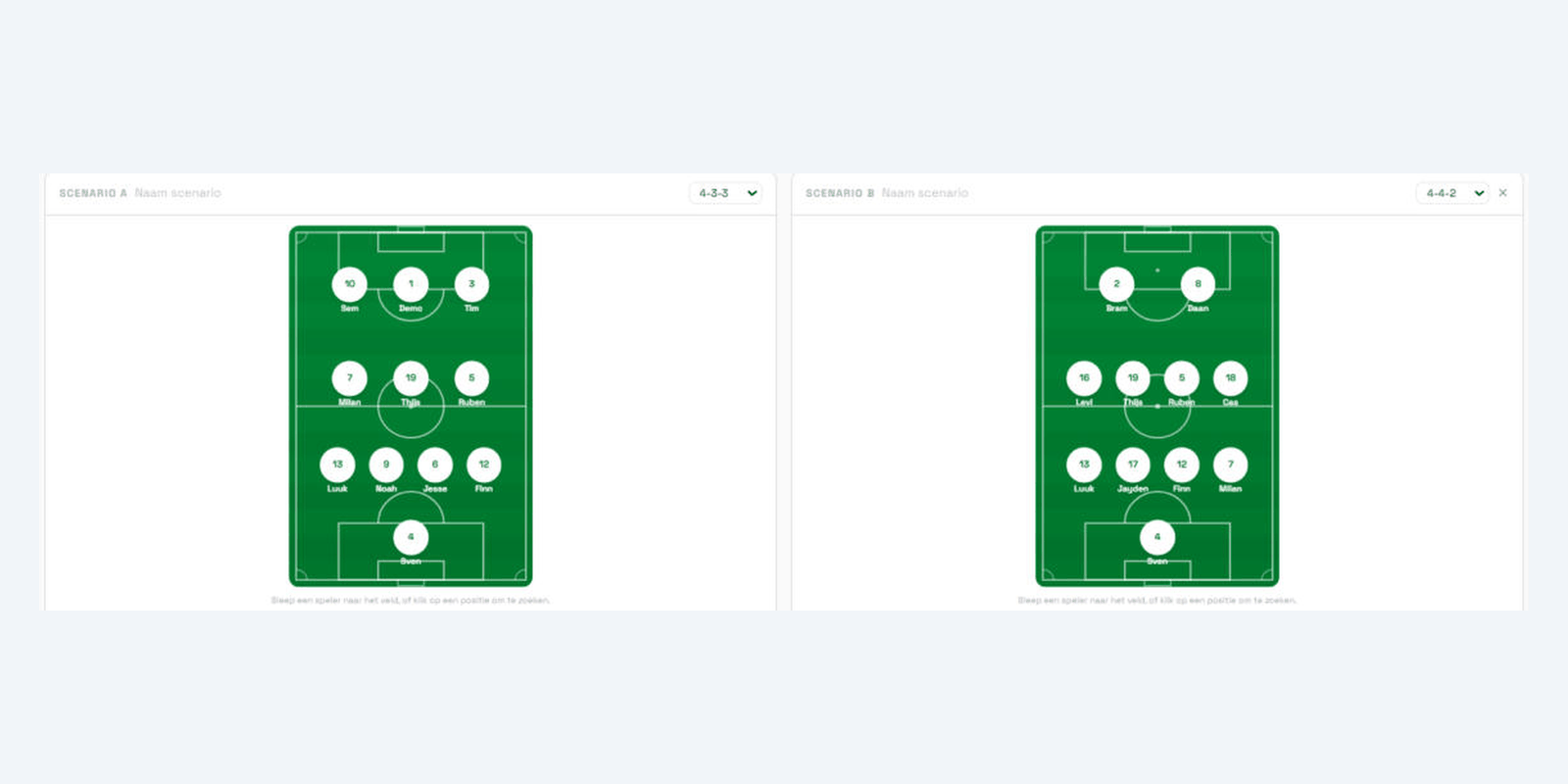
Thursday evening, after the last session. The lineup for Saturday is usually done in ten minutes — and those ten minutes lean heavily on habit. Whoever played last week plays again. The question "what happens if I do it differently?" rarely gets worked out, because answering it means holding two lineups in your head at once while pulling up the numbers for both.
Lineup Scenarios does that work for you. It sits inside match preparation, on every game: two scenarios side by side on a real pitch, with your own squad's numbers attached.
Two ways to build a scenario
The screen has two modes, because coaches arrive at a lineup in two different ways.
Compare
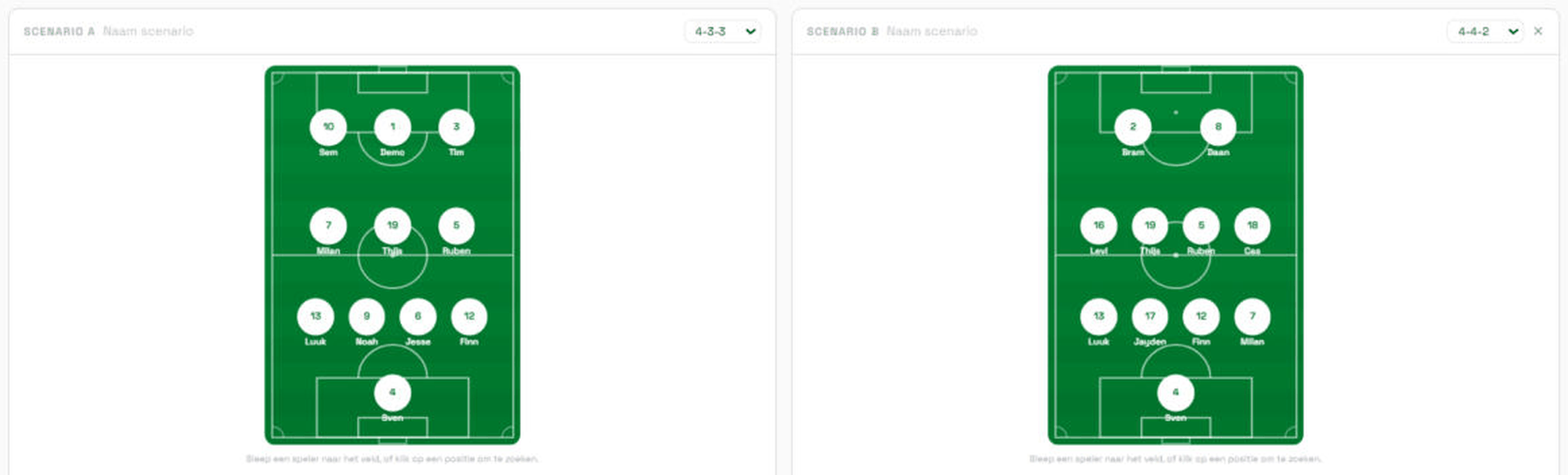
Pick a formation, then drag players from the squad table onto a position — or click an empty slot and search by name. Want to weigh an alternative? One click adds Scenario B next to it. Both pitches sit side by side with the same totals underneath, so you're comparing like with like.
Wizard
Prefer it step by step? The wizard walks the lines — goalkeeper, defence, midfield, attack — showing only the relevant choice per step, with a counter tracking how many positions are filled. If the wizard doesn't support your formation yet, it says so and points you to Compare.
The numbers that come along
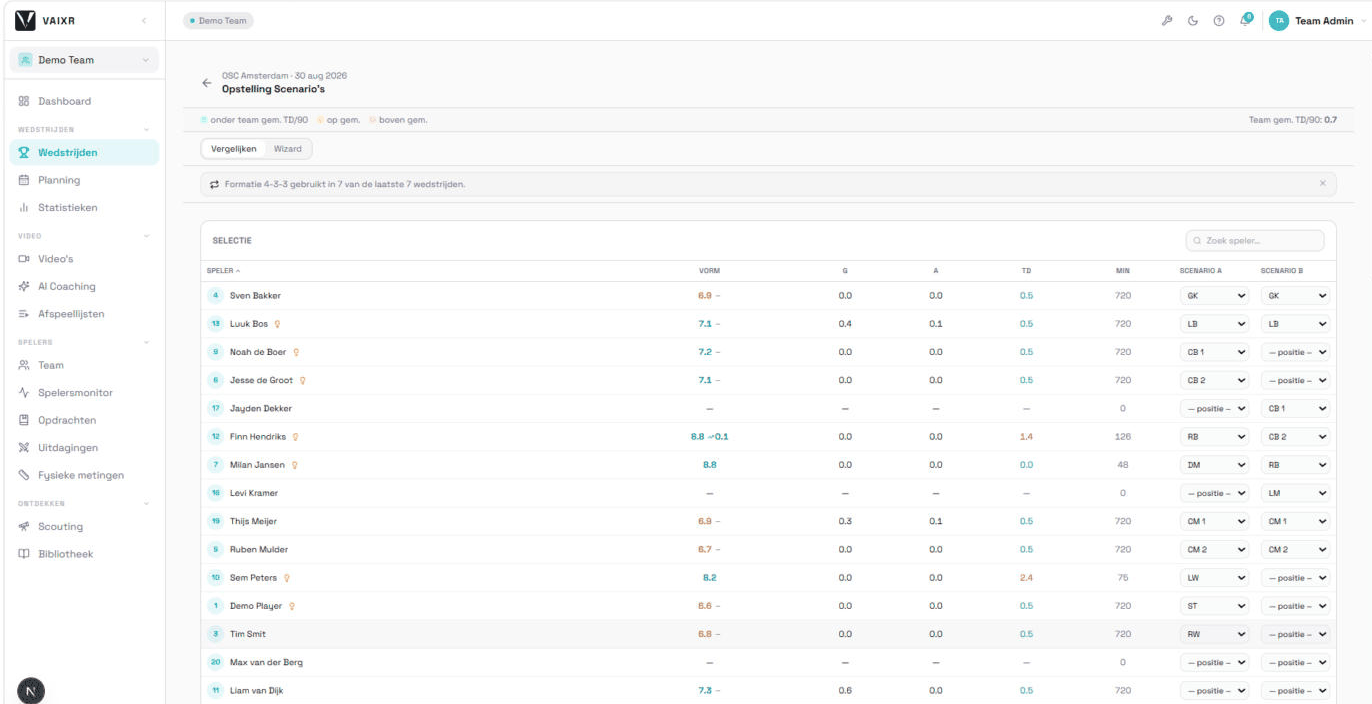
The moment a player lands on a position, their numbers come with them. Everything is per 90 minutes, so a substitute with 200 minutes sits fairly alongside a starter with 900:
- Goals per 90 and assists per 90, summed into a projected attack figure for the whole scenario.
- Goals conceded per 90, coloured against the team average — green below, amber at, red above. One glance tells you which line is pulling the projection.
- Minutes played, so you can see how much weight a number carries. Players with too little playing time get an explicit data-quality warning instead of a misleadingly precise figure.
Pair chemistry, not just individuals
To close part of that gap there's the pair panel. For players you place in the same line, VAIXR looks at the minutes they were actually on the pitch together and computes goals conceded per 90 over that window. Two centre-backs with 340 shared minutes at 0.9 conceded per 90 tell you something their two separate averages don't.
If a pair hasn't played enough minutes together, the panel says "no data" rather than showing a two-decimal number built on three matches.
Form, straight from your evaluations
Next to the match stats each player carries a form score: the average of their last five completed quick match evaluations on a 0–10 scale, with an arrow showing the shift against the five before that. Quick evaluations rather than the full module, deliberately — the quick ones actually get filled in every week, which is what "form" needs to mean.
Selection signals: seven rules watching along
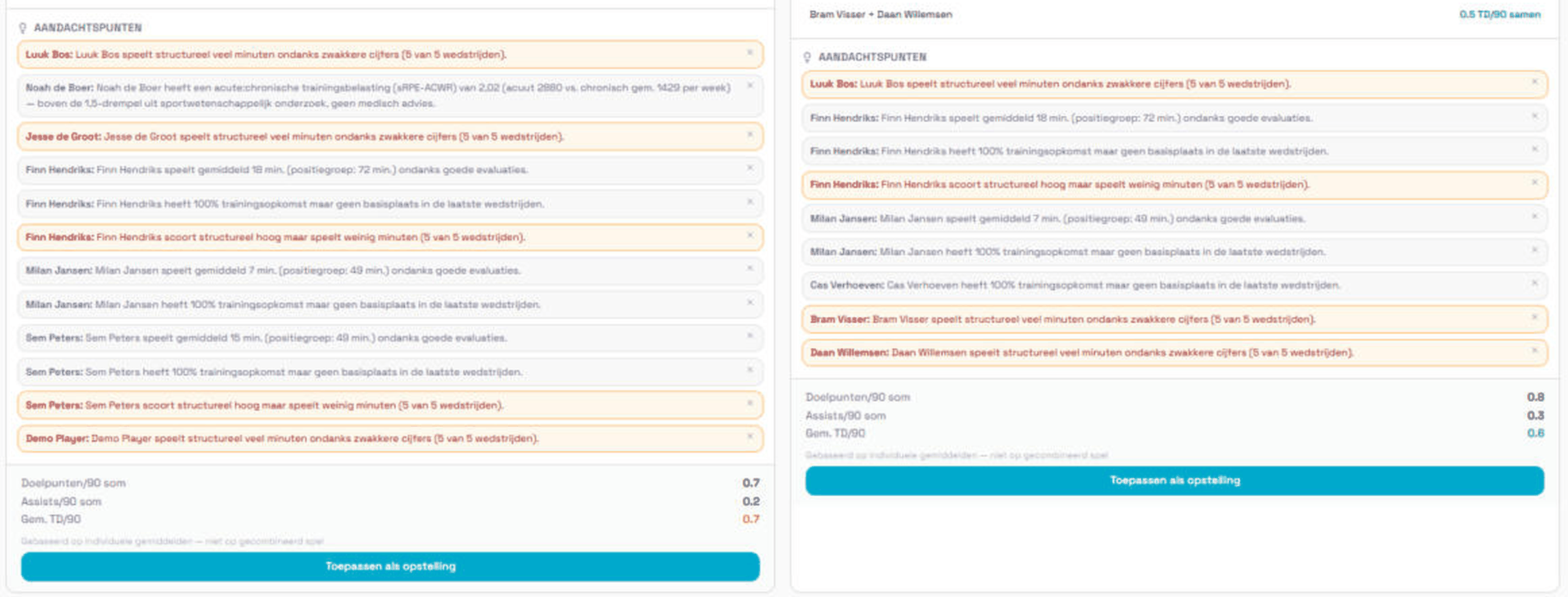
While you build, a set of rules looks for patterns in your own data. They're informational and staff-only — they block nothing and prescribe nothing. Every signal carries a why explanation with the raw metrics that triggered it, and patterns repeating across several matches are shown more prominently than one-off observations.
- Strong form, not starting — a player ranks near the top of their position group but isn't in this scenario's starting eleven.
- Low minutes despite good evaluations — average playing time sits below half their position group's average.
- Good attendance, no starting spot — high training attendance in recent weeks, no start in the last few matches.
- Structural underuse — high scores and low minutes, repeated across the last five matches.
- Structural preference — high minutes despite weaker numbers, likewise repeated across five matches.
- Formation repetition — the same formation in the large majority of the last eight matches. A team-level signal, not a player one.
- Workload spike — a player's acute-to-chronic training load (sRPE-ACWR, 7 days against 28) exceeds the widely cited 1.5 threshold.
Every rule stays quiet until your team has played enough matches to support it, and the workload rule only runs for teams tracking training load through RPE. All thresholds live in one place in the code, so they can be tuned per club without touching the rules themselves.
From scenario to actual lineup
Once you've decided, apply as lineup turns the scenario into this match's lineup — the same one your players see. Substitutes, guest players, shirt numbers and the captain stay untouched. If a position is still empty the button blocks with a clear message; half a scenario isn't something you want to publish by accident.
What it deliberately doesn't do
The screen suggests no lineup, ranks nobody into a "best eleven" and puts no score on your choice. That's a design decision, not missing functionality: the moment software proposes a lineup, the conversation shifts from "why do I think this?" to "why does the system say that?". The numbers belong on the table during that conversation — not in place of it.
Lineup Scenarios is live for every team using match preparation in VAIXR. With a season of tagged matches and evaluations behind you the numbers are useful straight away; starting fresh, it fills in as you record matches.
Want to try it yourself?
Create a free account and set up your first match in VAIXR, or book a short demo with us.